I wish Health Sentinel had existed years ago. That’s my feeling after watching this session.
You can’t manage what you can’t measure
Peter Drucker
You actually can, but it’s inefficient and unnecessarily painful.
A few years ago, a customer experienced issues with synchronising state and incident_state. ServiceNow manages this out of the box, but it can break when you add customisations or you bring data from external systems, and you are not very careful.
After correcting the wrong data, we wanted to ensure that it didn’t happen again in the future. So, I just created a Scheduled Job that triggered an incident to our team in such a case.
At that time, I didn’t have the bandwidth or a long list of problems to justify creating a configurable, extensible solution, but it remained on the back of my mind ever since.
Fortunately, Maik created it for us, it’s beautiful, and it’s documented in detail!
I’ll summarise the key takeaways from the session, and then I’ll share my own test after forking it and installing it in my PDI.
Key takeaways
Challenges
ServiceNow only provides an observability tool as part of the Impact total package.
Health Sentinel fills the gap, taking into account these constraints:
- Make it free to use and extend (you can fork it on GitHub).
- No extra ServiceNow licenses consumed.
- No custom table consumption (sensor extends sysauto_script, which is in the list of exempt tables).
- Rely on ServiceNow capabilities.
Solution
Sometimes, we are too focused and specialised that it’s easy to forget that we can bring solutions from other domains of knowledge.
Maik was inspired by his life events and how we monitor our health, and translated that into ServiceNow.
Measured object → Sensor → Signal → Monitor → Alarm
Table / DB view → Scheduled job → Event → Script action / Email notification / Flow → Email / SMS / Workflow
So simple and so powerful!
Demo
Maik shows a prebuilt sensor to notify if emails are stuck in the email queue.
The example of the emails not sending is something we faced at some point. If I remember correctly, we had a banner in the instance, so we would often find out about it quickly. However, receiving an SMS or a message in Teams would be much better.
But you can see that in the video, so I’m sharing my own testing example for the issue with the Incident states.
Starting by causing the issue by forcing the value of the state without running the Business rules:
var incidentGR = new GlideRecord('incident');
incidentGR.get('ef43c6d40a0a0b5700c77f9bf387afe3');
incidentGR.setValue('state', 1);
incidentGR.setWorkflow(false);
incidentGR.update();Code language: JavaScript (javascript)
This causes the State and Incident state to lose the synchronisation:
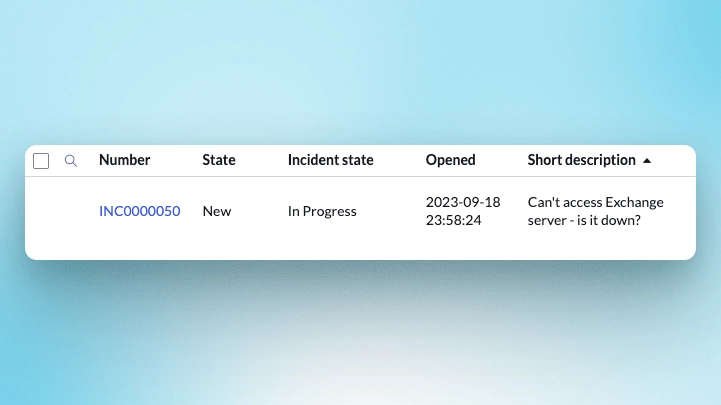
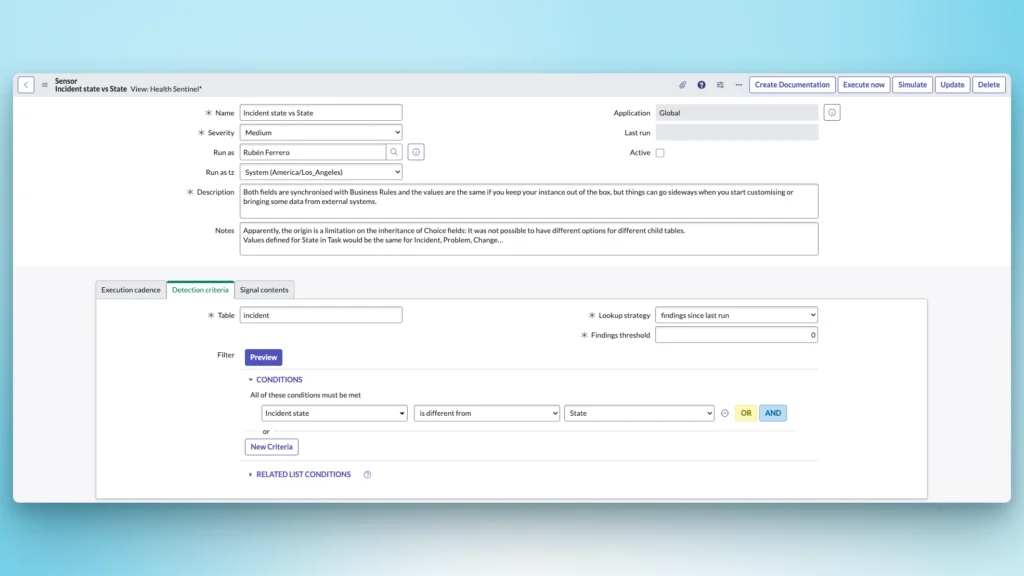
Let’s create a Sensor[u_sensor] to check if the state and incident_state are in sync:
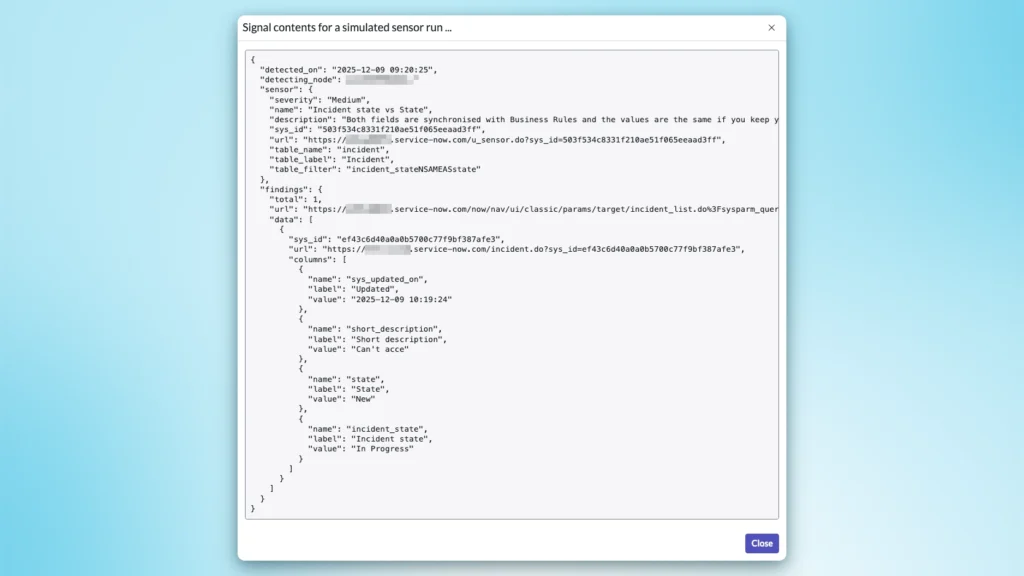
The simulation confirms the issue:
And, after running it, I can see the default event being triggered!
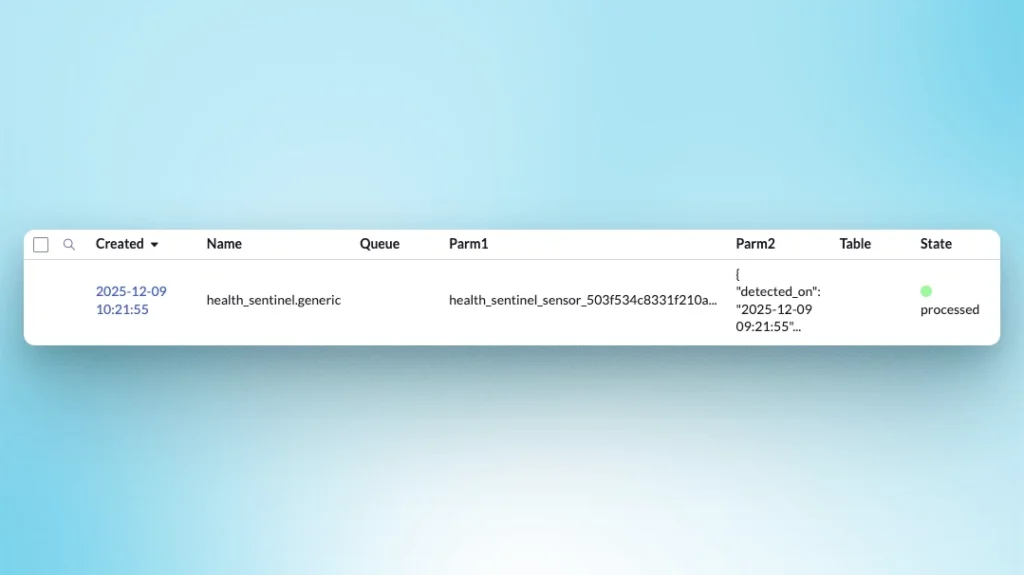
I could create my own event and manage it, but it’s time for me to find my way out of this rabbit hole.
I’m definitely adding the Health Sentinel to my toolbelt!
References
- Maik Skoddow: LinkedIn
- ServiceNow community: Health Sentinel for ServiceNow: Bringing Sensor Logic to Platform Monitoring
- ServiceNow-GitHub: Deploy Keys Setup
- nullEDGE website
- nullEDGE YouTube channel
- My LinkedIn posts #nullEDGEAdvent (any feedback is welcomed!)
- Intro to my nullEDGE advent calendar adventure
Pingback: nullEDGE advent calendar » Rubén Ferrero